
In March 2026, a kirana store owner in Ghaziabad handed over ₹2,400 worth of groceries after a customer showed a “Payment Successful” screen on his PhonePe app. Three hours later, when he checked his account at closing time, the money had never arrived. He had lost an entire day’s profit to a 30-second trick.
This is not an isolated story.
The same scam plays out thousands of times every day across India — at busy markets, petrol pumps, chai stalls, and increasingly, across online selling platforms. For D2C sellers, Instagram sellers, WhatsApp businesses, and small e-commerce operators, fake UPI payment fraud is one of the fastest-growing threats to business margins in 2026.
Fake payment confirmation scams are among the most commonly reported forms of digital payment fraud affecting small merchants, according to the National Payments Corporation of India (NPCI) and the Ministry of Home Affairs cybercrime portal. The scale of the problem is staggering — in January 2026 alone, UPI processed 21.70 billion transactions worth over ₹28.33 lakh crore across 691 banks. With volumes this high, scammers do not need to trick everyone — they only need a few people to accept a “paid” screen without real credit.
This guide is written specifically for online sellers — D2C brands, Instagram sellers, WhatsApp resellers, and marketplace operators — who accept UPI payments and need to know exactly how these scams work, how to spot them instantly, and how to protect every order they ship.
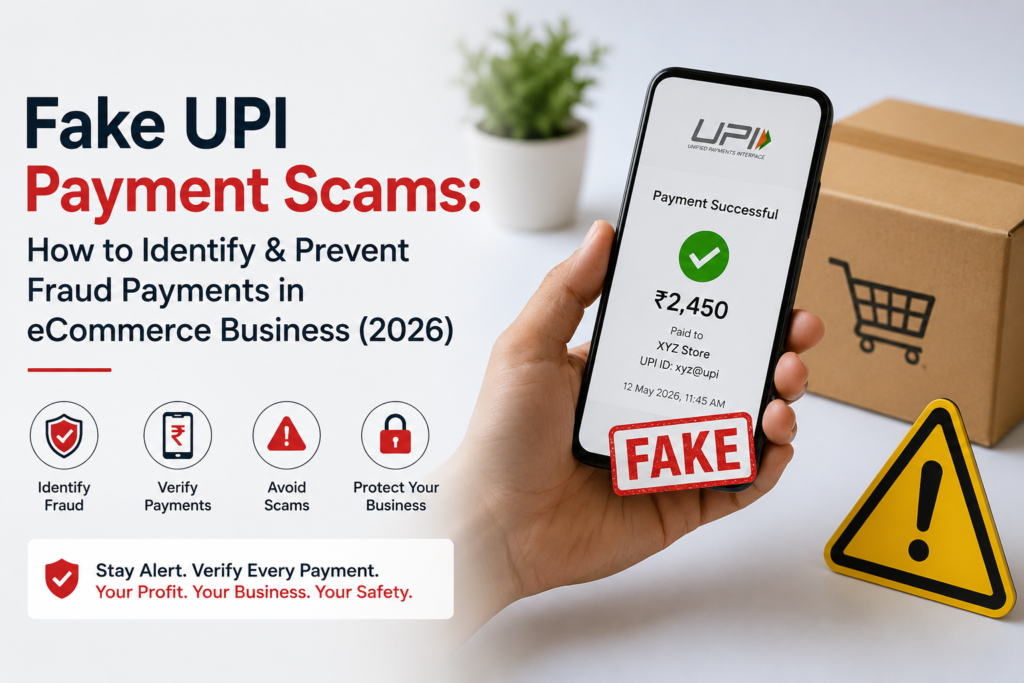
How Fake UPI Payment Scams Work
Understanding the mechanics of the scam is the first step to never falling for it. There are four main methods scammers use against sellers:
Method 1: The Fake Screenshot
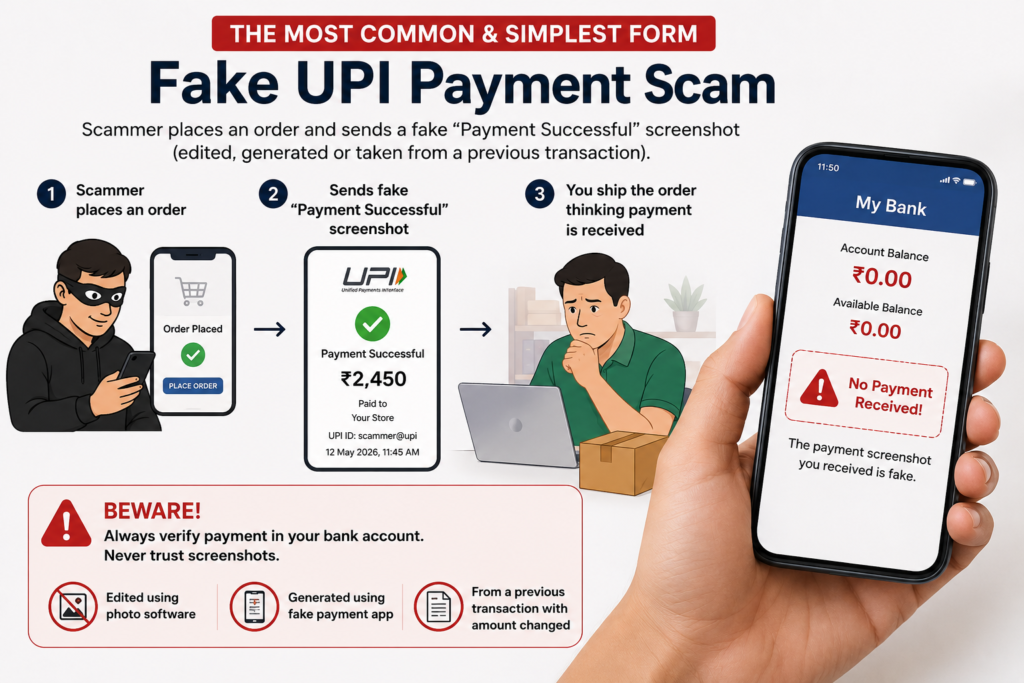
This is the most common and simplest form. The scammer places an order, then sends you a screenshot of a “Payment Successful” confirmation — either edited using photo software, generated using a fake payment app, or taken from a previous real transaction with the amount changed.
A screenshot, regardless of how convincing it appears, never constitutes proof of payment. Only actual credit appearing in your bank account or UPI app confirms you’ve been paid.
The screenshot looks real. It has the right logos, the right colours, even a fake transaction ID. But no money has moved. The seller ships the order. The scammer receives the goods. By the time the fraud is discovered, the scammer is unreachable.
This method is devastatingly effective because it exploits the time pressure sellers feel during busy hours — especially when managing multiple orders simultaneously.
Method 2: The Fake Payment App
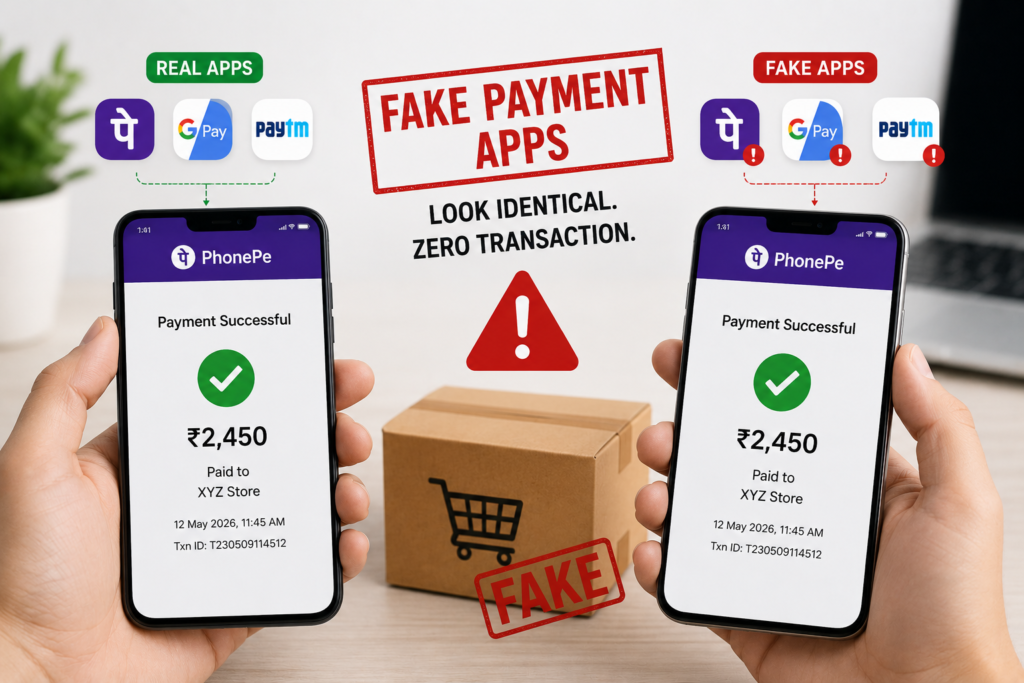
More sophisticated scammers use counterfeit versions of PhonePe, Google Pay, or Paytm — apps designed to look identical to the real thing but generate fake “Payment Successful” screens without initiating any actual transaction.
Cybercrime officer Hardik Makadia issued public warnings about coordinated fake PhonePe and Paytm frauds targeting sweet shops during Diwali 2025, with multiple incidents reported across Gujarat and Kerala where fraudsters used counterfeit versions of major payment apps.
The scammer opens the fake app in front of you, enters the amount, and shows you the success screen. Everything looks legitimate. Nothing has been transferred.
Method 3: The Overpayment / Refund Trick
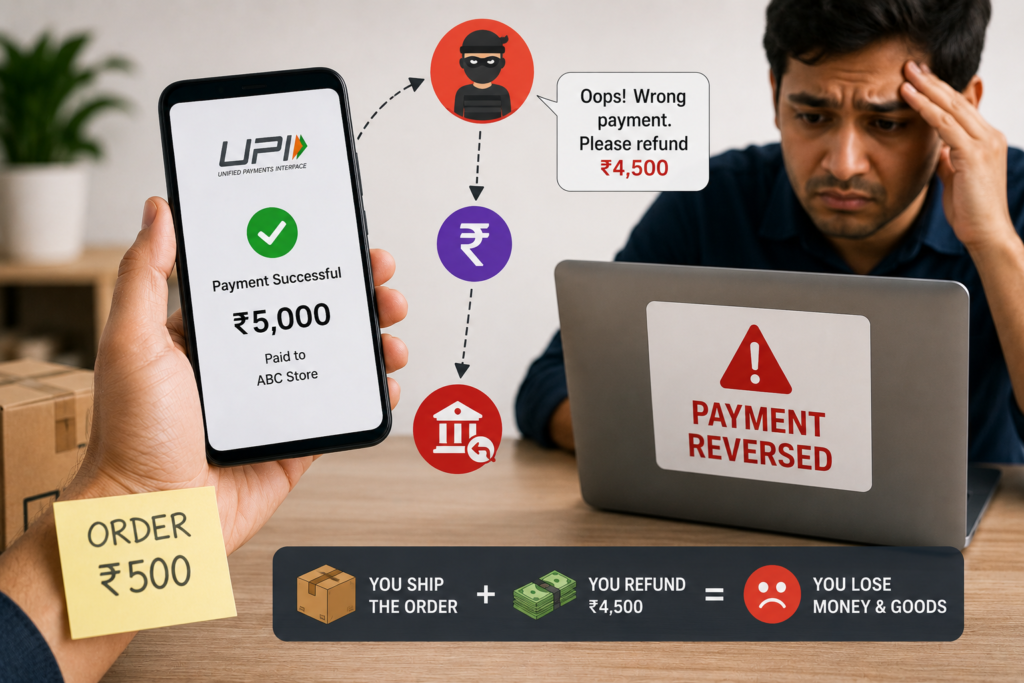
The scammer makes a real UPI payment of a deliberately inflated amount — say ₹5,000 instead of ₹500 — then immediately claims it was a mistake and asks for a refund of the difference before you’ve verified the credit. In some versions, the original payment is made via a fraudulent instrument that gets reversed later, leaving you both out of pocket for the goods and the refund.
Method 4: Fake Collect Requests
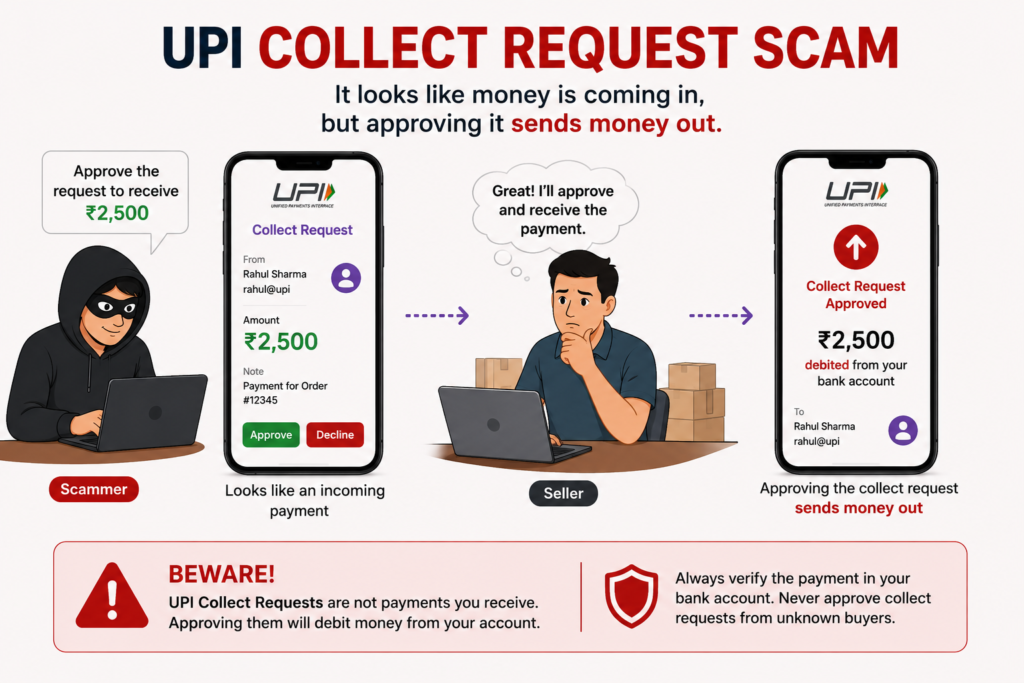
The scammer sends you a UPI collect request — which looks like an incoming payment notification — and asks you to “approve” it to receive your money. Approving a collect request actually sends money out of your account, not into it. This tricks sellers who are unfamiliar with how UPI collect requests work.
UPI PIN is only required for sending money — receiving money is automatic and requires no PIN or approval from the recipient. Any scenario where you are asked to enter your UPI PIN or approve a request to receive money is always a scam.
Who Is Being Targeted
Street vendors, small shop owners, and individual sellers on platforms like OLX and Facebook Marketplace are disproportionately targeted. The common thread is high transaction volume, time pressure, and limited ability to verify payments in real time.
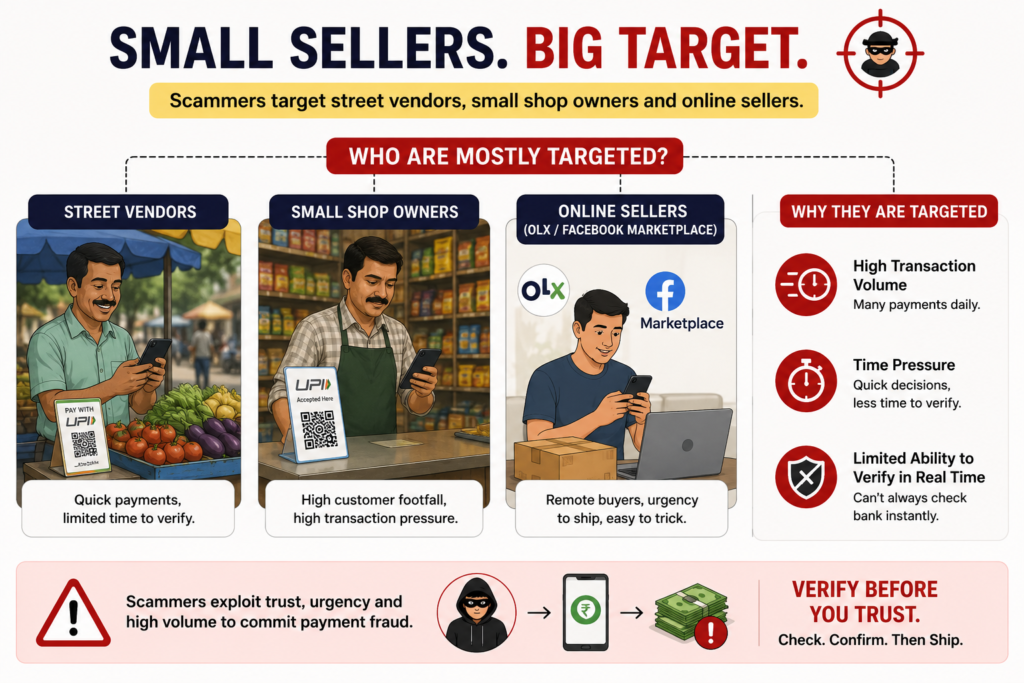
For online sellers specifically, the highest-risk scenarios are:
Instagram and WhatsApp sellers processing prepaid orders manually — where the buyer sends a payment screenshot via chat and the seller ships before verifying the bank credit.
COD-to-prepaid conversion attempts — where a buyer initially places a COD order, then at the last minute offers to switch to prepaid UPI “to save the COD charge,” sends a fake screenshot, and expects the order to be dispatched immediately.
High-value single orders from new buyers — scammers target higher-value orders where the payoff justifies the effort. A ₹3,000 order from a brand new customer with no purchase history asking for immediate dispatch after sending a UPI screenshot is a classic red flag profile.
Festival and sale season orders — scammers rely heavily on time pressure and trust manipulation, and peak sale periods (Diwali, New Year, Valentine’s Day) when sellers are processing high volumes and moving quickly are prime targeting windows.
How to Verify a UPI Payment — The Right Way
Here is the definitive verification process every online seller in India should follow before dispatching any prepaid order:
Step 1: Check Your Own App — Not the Customer’s Screenshot
This is the golden rule. Always confirm the money is credited in your bank account, verify the UTR number in your transaction history, and ignore screenshots entirely.
Open your own UPI app (Google Pay, PhonePe, Paytm, or your bank’s app) and check your transaction history. A real payment will appear in your received transactions with a UTR (Unique Transaction Reference) number within seconds of the transfer.
If the payment does not appear in your own app within 2–3 minutes of the customer claiming to have paid — it has not arrived. Full stop.
Step 2: Verify the UTR Number

Every genuine UPI transaction generates a UTR number — a 12-digit unique reference that is assigned by the banking system at the time of transfer. This number is visible in your transaction history on your UPI app and can be cross-verified with your bank.
Ask the customer for the UTR number from their payment confirmation. Then cross-check it against the transaction in your own app. A real payment will have a matching UTR in your received transactions. A fake screenshot will either have no UTR, a made-up number, or a UTR that doesn’t match any transaction in your history.
Step 3: Check Your Bank Account Directly
For any order above ₹500, check your bank account balance or mini statement — either via your bank’s app, SMS banking, or a missed call banking service. This takes 30 seconds and is the most reliable confirmation of actual credit.
Step 4: Wait for the Credit Notification
Real UPI transactions trigger an instant credit notification from your bank via SMS. If a customer claims payment was made but you haven’t received an SMS credit alert from your bank within 2 minutes, the payment has not gone through.
Important: Do not rely on notifications from the customer’s phone. Only your own bank’s SMS or app notification confirms receipt.
Step 5: For High-Value Orders, Ask for Transaction ID
For any order above ₹1,000 from a new customer, ask the buyer to share their full transaction details — the UTR number, the UPI ID they paid from, and the time of transaction. Cross-reference all three against your own bank records. A legitimate buyer will have no problem providing this. A scammer will either delay, deflect, or disappear.
Red Flags to Watch For
Train yourself and anyone on your team who processes orders to watch for these warning signs:
Urgency pressure: “Please dispatch immediately, it’s urgent” right after sending a payment screenshot — before you’ve had time to verify.
New customer, high-value order: First-time buyers placing orders above ₹1,000 and paying upfront via UPI with a screenshot sent over WhatsApp or Instagram DM.
Screenshot via chat instead of bank notification: Real customers whose payments go through don’t need to send you a screenshot — your bank notifies you automatically. A buyer who sends a screenshot unprompted is often doing so because no real payment was made.
Mismatch in payment details: The name on the screenshot doesn’t match the name the buyer gave. The amount on the screenshot is slightly different from the order total. The timestamp seems off.
Overpayment followed by refund request: Any buyer who claims to have paid more than the order amount and immediately asks you to refund the difference — before you’ve verified the original credit — is almost certainly running a scam.
Pressure to ship before verification: Any buyer who gets aggressive or threatening when you take time to verify payment is a major red flag. Legitimate customers understand that verification takes a few minutes.
Building a Fraud-Proof Order Processing System
Beyond individual transaction verification, here’s how to build systematic protection into your order workflow:
Set a Clear Payment Policy
State explicitly in your Instagram bio, WhatsApp status, and website: “Orders are dispatched only after payment is confirmed in our bank account. Screenshots are not accepted as proof of payment.”
This filters out scammers at the top of the funnel and sets legitimate customers’ expectations correctly.
Never Dispatch Before Bank Confirmation
Make this a hard rule with no exceptions. Not even for repeat customers, not even during peak season, not even when the buyer is pressuring you. One scam order at ₹2,000 costs more than the time saved by skipping verification on 50 orders.
Use Payment Links Instead of Sharing UPI IDs Directly
Instead of asking buyers to transfer to your UPI ID (which opens the door to fake screenshots), generate a payment link through your payment gateway (Razorpay, Cashfree, PayU) or a UPI link from your bank. When the buyer pays via the link, you receive an automatic server-side confirmation — no screenshot can fake this.
For sellers using Shopify, WooCommerce, or any proper e-commerce platform, always route UPI payments through your payment gateway rather than accepting manual transfers.
Implement an Order Hold Period
For new buyers paying via UPI screenshot on Instagram or WhatsApp, implement a 15–30 minute hold before dispatch. Use this window to verify payment in your bank. Most legitimate buyers will not object. Anyone who objects strongly to a 15-minute hold on their order is a red flag in itself.
Keep a Verification Log
For all prepaid UPI orders, maintain a simple spreadsheet logging: order ID, buyer name, order amount, UTR number, and time of bank confirmation. This takes 2 minutes per order and creates an audit trail that is invaluable if a dispute arises later.

What to Do If You’ve Been Scammed
Despite best precautions, if a fake UPI payment scam is successfully executed against you, here’s the immediate action plan:
Within the first hour:
- File a complaint at the National Cybercrime Reporting Portal: cybercrime.gov.in
- Call the cybercrime helpline: 1930 (available 24/7 across India)
- Contact your bank immediately and report the fraudulent transaction
- Screenshot all communication with the scammer — their phone number, UPI ID, chat history
Why speed matters: Reporting within 24 hours gives the best chance of freezing the scammer’s account and recovering funds, as banks can reverse transactions if reported quickly enough.
Collect and preserve evidence:
- The fake screenshot the scammer sent you
- Their phone number and UPI ID
- The delivery address if the order was shipped
- Chat logs from WhatsApp, Instagram, or any platform used
File an FIR: For amounts above ₹1,000, file a First Information Report at your local police station in addition to the online cybercrime complaint. Many states have dedicated cybercrime cells that handle UPI fraud cases.
The COD Alternative: How ShipEasy Protects Sellers from Payment Fraud
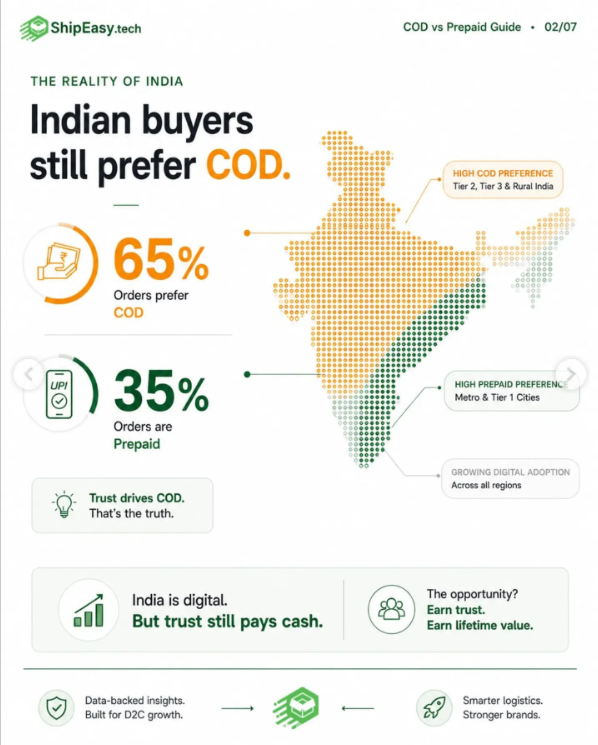
One of the most effective ways to eliminate fake UPI payment risk entirely for a significant portion of your orders is to offer Cash on Delivery — where payment happens at the door, in cash, after successful delivery. No screenshots. No prepayment. No fraud risk on the payment side.
The tradeoff is RTO (Return to Origin) risk — COD orders have higher failed delivery rates. But a well-managed COD workflow with proper address verification, delivery-day WhatsApp reminders, and NDR management can bring RTO rates down to manageable levels — and completely eliminates prepayment fraud risk.
ShipEasy helps online sellers manage COD orders efficiently:
- COD availability check — instantly see which courier partners offer COD for any pin code before you take the order
- COD remittance tracking — all your cash collections tracked in one dashboard with remittance date visibility
- NDR management — act on failed delivery attempts within 24 hours to recover shipments before they become RTOs
- Multi-courier comparison — compare COD charges and delivery success rates across 15+ courier partners to pick the best option for each order
Whether you choose to accept prepaid UPI (with proper verification) or COD (with proper RTO management), ShipEasy gives you the tools to ship every order confidently — without losing money to fraud or failed deliveries.
👉 Manage your COD and prepaid orders smarter with ShipEasy → shipeasy.tech
Quick Reference: UPI Payment Verification Checklist
Before dispatching any prepaid UPI order, run through this checklist:
- Payment confirmed in my own UPI app transaction history (not the customer’s screenshot)
- UTR number visible in my received transactions
- Bank SMS credit alert received on my registered mobile number
- Payment amount matches order total exactly
- Sender name/UPI ID matches the buyer’s details
- For orders above ₹1,000 from new buyers — UTR number cross-verified with buyer
- No unusual urgency pressure from the buyer to dispatch immediately
- Order dispatched only after all above confirmed ✓
Frequently Asked Questions
How do I know if a UPI payment screenshot is fake?
The only reliable way is to ignore the screenshot entirely and verify payment in your own UPI app or bank account. A genuine payment will appear in your transaction history with a UTR number within seconds. If it’s not in your own app, it hasn’t arrived — regardless of how authentic the screenshot looks.
What is a UTR number and how do I use it to verify payment?
UTR stands for Unique Transaction Reference — a 12-digit number assigned by the banking system to every genuine UPI transaction. When a buyer pays you, the UTR appears in your received transactions in your UPI app. Ask the buyer for their UTR and cross-check it against your transaction history. A matching UTR in your received transactions confirms the payment is real.
Can a fake UPI payment screenshot look completely real?
Yes. Scammers use photo editing software, fake payment generator websites, and counterfeit versions of PhonePe, Google Pay, and Paytm to create screenshots that are visually indistinguishable from genuine ones. This is why visual verification of screenshots is never sufficient — only bank-side confirmation is reliable.
What should I do if a buyer becomes aggressive when I ask for verification time?
A legitimate buyer has no reason to pressure you into skipping payment verification. Aggression or urgency when you request 10–15 minutes to confirm payment is a strong indicator of fraud. Politely hold your position — “I’ll dispatch as soon as I see the credit in my account” — and if the pressure continues, cancel the order.
Is COD safer than UPI for online sellers?
From a payment fraud perspective, yes — COD eliminates prepayment fraud entirely since payment happens at delivery in cash. The tradeoff is RTO risk. Use a courier aggregator like ShipEasy to manage COD logistics efficiently, including NDR management and delivery confirmation, to keep RTO rates low while avoiding payment fraud.
How do I report a fake UPI payment scam in India?
File a complaint immediately at cybercrime.gov.in or call the national cybercrime helpline at 1930. Report to your bank within 24 hours for the best chance of fund recovery. Also file an FIR at your local police station for amounts above ₹1,000 and preserve all evidence including chat logs, screenshots, and the scammer’s phone number and UPI ID.
This article is written for educational purposes to help Indian online sellers protect themselves from payment fraud. All fraud cases referenced are based on publicly reported incidents. If you have been a victim of UPI fraud, report immediately to cybercrime.gov.in or call 1930.